





Myasthenia gravis (MG) symptoms can make everyday tasks feel harder. Explore tips from people living with MG on how smart tools may help you adapt and keep moving forward.
You’re going through your day, and suddenly MG symptoms worsen without warning. It may begin as a drooping eyelid that gradually worsens as the day goes on. Other times, it may show up as fatigued hands that may feel too weak to type. This unpredictability can disrupt daily routines and turn ordinary tasks into unexpected challenges.
When MG shows up as an uninvited guest in your life, don’t panic—adjust. Technology could be an ally by helping you stay within your limits and avoid overexerting yourself. Read on for seven practical ways technology may help you navigate MG.

1. Using voice assistants may help you stay connected with friends and family
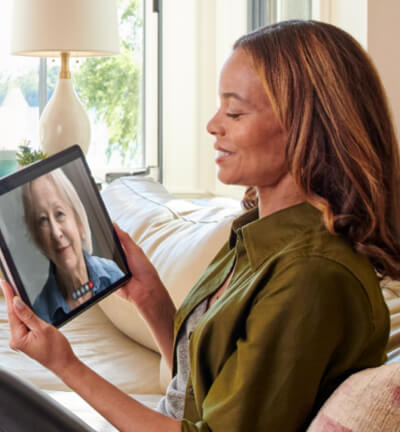
Voice assistants can help you stay connected. Send text messages using your voice instead of typing, allowing your hands to rest when needed. Incoming messages can be read aloud, reducing the strain on your eyes while helping you stay in touch with friends and family.


2. Installing smart locks may provide a convenient, keyless way to enter your home
Smart locks let you unlock your door without a key. Some options allow you to use a tap or a voice command, reducing hand movement and eliminating the need to turn a key. You can also unlock the door for guests remotely on days when standing and walking is too much and rest is the priority.

3. Capture key details during doctor visits with a note-taking app
Note-taking apps offer an alternate way to capture, organize and revisit information covered during doctor appointments. Some apps can transcribe spoken conversations into written notes, allowing you to record what you and your doctor discuss without repeatedly using your hands to type. Using a note-taking tool may make it easier to review what was discussed during your appointment later.

4. Set up a password manager for easier login to accounts
A password manager may help by securely saving and auto-filling your login details, so you don’t have to type as much. Less typing may help reduce strain on hands that get tired with use.

5. Listen to audio when your eyes need a break
Shifting from visual to audio may help you stay engaged while giving your eyes a break. Audiobooks let you enjoy your favorite reads, and podcasts help you tune in without adding screen time. Screen readers can also voice on-screen content from websites, helping you stay connected without overexerting your eyes.


6. Adjust your environment with smart lights
Control your environment with minimal movement by using smart lights. With simple voice commands, you can turn lights on and off or dim them without getting up or reaching for switches. This may reduce unnecessary strain and helps manage brightness when your eyes need a break.

7. Switch to dark mode on your devices
If eye fatigue sets in after staring at bright screens, switching to dark mode could reduce the light intensity on your eyes. By softening contrast and limiting harsh light, dark mode may make text easier to read.
Discover more energy-saving tips for everyday life with MG
Download the Everyday Energy Savers eBook, featuring over 50 tips from the MG community and MG experts, designed to help make everyday tasks easier when living with MG.





 Facebook
 X
X Pinterest
